Business phone system with FreePBX
A “press 1” menu, opening hours, call queues, voicemail by e-mail, calls that follow you to your mobile: I install your internet-based phone system (VoIP) with FreePBX, an open-source program, and you can normally keep your existing numbers. Since custom software is my core business, I also connect it to your own software: the customer is recognised as soon as they call, their record opens and the call can be summarised in it automatically.
The journey of a call
From the first ring to the summary in your software: everything that can happen around a single incoming call, depending on your choices.
- 01
The call comes in
Your customer dials your usual number. The phone system checks the time, the day and your holiday calendar to pick the right greeting: office open, lunch break or closed.
- 02
The caller is recognised
The phone system looks the number up in your software or your address book: if the number isn’t withheld, the name is displayed, and a known customer can go straight to their usual contact.
- 03
The menu routes the call
“For an appointment, press 1; voor Nederlands, toets 2.” In a few seconds, the caller reaches the right department in their own language, with no manual transfer.
- 04
The right person answers
The department rings at the office, on the cordless handset or on the mobile. At the office, the person who answers sees who is calling and, with a custom link, the customer’s record opens on their screen.
- 05
A message instead of a missed call
Nobody free? The caller leaves a message, which reaches you by e-mail. Where the law allows it, and after an announcement to the caller, conversations can also be recorded.
- 06
The summary is filed in the record
After the call, the conversation or message is written out, summarised in a few lines, then filed in the customer’s record or sent by e-mail. This is the part I develop as a custom build.
What your phone system can do
Much of it comes as standard with FreePBX. The rest I develop as custom work (custom software is my core business) or point out to you as a paid option. We only keep what is genuinely useful to you.
“Press 1” welcome menu
The IVR (interactive voice response) is the “for accounts, press 1” menu. It routes each call to the right department, lets callers reach a colleague by keying in their name, and greets them in French, Dutch or English.
Opening hours, time off and public holidays
During opening hours, calls ring at the office; in the evening, at weekends and on closing days, another message takes over. Time off goes into a calendar, even Google Calendar, and a code switches the system to “closed” mode.
Ring groups and call queues
A department’s phones ring together or in turn. When everyone is busy, the caller waits with royalty-free music, hears their position and the estimated waiting time, and can press a key to leave a message.
Voicemail delivered by e-mail
Everyone has their own voicemail box, with their own greetings: away, busy, on holiday. Each new message arrives by e-mail with the audio file, the number and the time: you listen on your mobile, without dialling a code.
Automatic answering
Recorded announcements answer simple questions (address, opening hours, lead times), then route the call. More ambitious: an AI voice assistant that answers and takes a message, while saying that it is an AI. A custom project.
Your calls follow you
On site, at an appointment or working from home: the call rings first at the office, then on your mobile, or everywhere at once. Forwarding, “do not disturb”, transfer to a colleague: all set with one key or from the browser.
Your extension on mobile and computer
An app (softphone) on your mobile or computer, or a phone in the browser: you make and take calls with the office number, wherever you have internet, without revealing your private number.
Desk and cordless phones
Desk phones, headsets, DECT cordless handsets for the workshop or warehouse, paging speakers. An old analogue phone connects through a small adapter box; so does a fax, after a test on your line.
Linked to your software
A custom link: when a customer calls, their name and record appear on screen; you call them in one click from your software, and each call (date, duration, who answered) is filed in their record, if your software allows it.
Call recording
You record the calls on a specific line, such as orders, or start recording at the press of a key, after informing the other party. In Belgium this is strictly regulated: I set up the announcement and the automatic deletion.
Automatic transcription and summaries
After the call, the conversation or voicemail is written out, then summarised: who, what, and what needs doing. The summary goes into the customer’s record or out by e-mail. I build this to order, with processing in Europe or on your premises.
Statistics and missed calls
How many calls, at what times, how many unanswered: the full history can be consulted and can feed your own dashboard. A missed call can arrive by e-mail or become a “call back” task in your software.
Colleagues and conference calls
You see who is already on a call, pick up for an absent colleague and resume a call on hold from another phone. On top of that come the intercom, paging over the loudspeakers (“the delivery has arrived”) and conference calls.
Security and backups
Firewall, automatic blocking of intrusion attempts, international calls restricted to prevent fraud, unwanted numbers blocked, administration never exposed to the internet, automatic backups and regular updates.
On site, online, multiple locations
The phone system runs on a small server on your premises or on an online server, whichever you prefer. Several locations can be linked together: you call the workshop at the other site by its short extension number, like the office next door.
Compatible with market standards
FreePBX is an IP PBX (a business switchboard, or PABX, that runs over the internet) and speaks SIP, the common language of internet telephony: most phones, cordless bases and apps connect to it. For your software, I go through its entry points (an API, or the database when the publisher allows it). And for the line, I check with you that your provider’s SIP offer accepts an independent phone system.
- Yealink
- Snom
- Grandstream
- Poly
- Fanvil
- Algo
- Linphone
- MicroSIP
- and most SIP phones
And the telephony standards:SIPWebRTCDECTTLS / SRTPHD Voice (G.722)API REST
What’s included
- An analysis of your calls, your opening hours and how you are organised
- The SIP line, help keeping your numbers and, if needed, a direct number for each person
- The network checked: internet connection, priority for voice, phones powered through the network cable, and a UPS (backup battery)
- FreePBX installed and configured, on site or on an online server
- Desk phones, cordless handsets and the mobile and computer apps set up and running
- Menus, opening hours, queues and voicemail boxes, with messages recorded in a human voice or a high-quality synthetic voice
- The link with your software, custom-developed if needed
- Security: firewall, protected access, international calls restricted
- Automatic backups and follow-up of security updates, to be agreed together
- A simple hand-over for the whole team, before switching to the new phone system
What for?
- Fewer missed calls
- Multilingual welcome
- Reachable on site
- Working from home
- Customer service
- End of copper and ISDN
- Multiple locations
- Replace an old switchboard
FreePBX and its engine, Asterisk, are open-source software: no per-phone licence for the essentials, and you can change provider or phone brand whenever you like. The phone system is yours, with full access: you are tied neither to a manufacturer nor to me.
How it works
1 · Free first conversation
You explain what you need; I give you honest advice, without jargon.
2 · A clear quote
A fixed fee or hourly billing depending on the project, hardware at a fixed price: everything is clear before we start. Free, no-obligation quote.
3 · Delivery and follow-up
I do the work myself, on-site or remotely, and remain your contact afterwards.
Area covered
Based in Marche-les-Dames, near Namur, I work across the whole of Belgium: on-site for surveillance, networks and virtual tours, remotely for software, websites and part of the IT repair work.
Your questions about the business phone system
Can I keep my numbers and my provider?
As a rule, yes. You need a SIP line (a phone line over the internet), which most Belgian providers offer to businesses, but not all of them guarantee it will work with an independent phone system like FreePBX: so before we start, I check with you that the chosen offer is suitable. If you change provider, the new one takes over your numbers (number porting); on the day of the transfer, Belgian law limits activation and any interruption to one working day. A landline number can only be kept within the same area code, though (081, 02…).
How does the switchover work without cutting off the phone?
I install and test the new phone system alongside the old one, after checking your internet connection and your network: for voice, stability matters more than speed. The numbers are transferred on the date you choose, the team is trained beforehand, and any interruption is usually limited to that moment. If you are still on a copper line or ISDN, now is the right time: these technologies are gradually being phased out.
Can we use our current phones?
Recent IP phones (SIP) can often be reused, unless they are locked by their previous provider; the digital handsets of an old switchboard (PABX), on the other hand, only work with their own system and need replacing. Analogue phones connect through a small adapter box, and so does a fax, but fax works more or less well depending on the line: we test it first. Incoming faxes can also arrive straight in your e-mail, with no machine; sending faxes from the computer, however, requires a paid module.
Is the phone system on our premises or online, and who maintains it?
Your choice. On a small server on your premises, everything stays with you, recordings included, apart from the backup copy, which we store wherever you like; on an online server, there is nothing to host, and if your office loses internet, calls can switch over to mobiles. Either way, it is a server that must be kept up to date and monitored, above all for security: I can take care of that remotely, or show the person who manages your IT how to do it.
Are there licences or subscriptions?
FreePBX itself is open-source software: no licence per phone or per user. You pay for the SIP line subscription (to your provider), the hardware, any online server, and my work as a fixed fee or by the hour, quoted after a free first conversation. On top of that, only if you choose them, come paid modules or apps from the publisher (fax sending, advanced reports, official mobile app…) and online services billed by usage, such as transcription or AI: I only suggest them when they are worth it, along with the alternatives.
My software is an off-the-shelf product: can it still be linked?
Often, yes. If it has an API (an entry point designed for other programs) or a database the publisher allows to be read, I can display the customer’s name, open their record and file the call history in it. Some software, such as Odoo, has its own telephony module: in that case, we test compatibility before committing. And if the link cannot be done cleanly, I tell you before we start.
Are we allowed to record calls?
In principle no, except in specific cases: with everyone’s consent, to keep proof of an order or an agreement, or for quality control in a call centre (kept for one month at most). Callers and staff must be informed beforehand: about the recording, its purpose, how long it is kept, their rights and where to find the full information. I set up the announcement and the automatic deletion, but I am not a lawyer: the exact framework should be confirmed with your legal adviser or your data protection officer (DPO).
Are the transcriptions and summaries reliable?
They save time, but they remain an aid, not official minutes: a crackling line, a strong accent or a mix of French and Dutch can cause errors, and the original recording is still there to check. At present, according to its documentation, the FreePBX publisher’s paid module only summarises in English and has the audio transcribed in the United States. That is why I set up a custom solution, in French or Dutch, with processing in Europe or on a server of your own.
Can an AI answer the phone for us?
It is possible, but it is a custom project: the phone system passes the conversation to a speech recognition and AI service, which answers, takes a message or puts the call through to the right person. Quality, response time and cost per minute vary from one service to another, so we test before deciding, and the caller must know they are talking to an AI. For many businesses, a good menu and well-made announcements are enough.
What happens in a power cut, or when calling 112?
Unlike the old copper lines, the phone system, the IP phones and the internet router need electricity: a UPS (a backup battery) keeps them running through a short outage, and calls can be forwarded to your mobiles if your provider allows it. I set up the emergency numbers (112, 101) so that they work from every phone. Please note: the emergency services receive the address registered with the provider, not the location of someone working from home; away from the office, it is better to call 112 from your mobile.
Related services
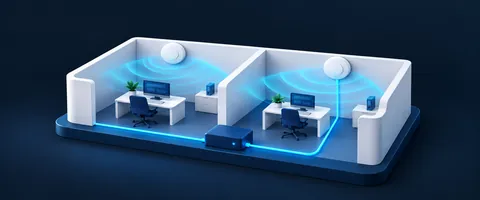 Networks & Wi-FiSeamless Wi-Fi, Ubiquiti UniFi equipment, custom RJ45 cabling and 3G/4G internet backup with automatic failover. Wi-Fi setup from €19.
 Custom softwareClients, quotes, invoices, stock, planning: web-based business software built around how you work, connected to your tools and Peppol. Since 2015, in Belgium.
- Artificial intelligenceAn AI assistant on your website, data entry prepared by voice, explainer videos: AI where it genuinely helps, and you approve what matters.
Let’s talk about your project
The first conversation and the quote are always free. I reply quickly, Monday to Saturday.